






You have more data than ever before.
Your accounting software tracks every transaction. Your CRM logs every customer interaction. Your inventory system records every movement. Your website analytics platform captures every click. If you’re running any kind of modern business software, data is being generated constantly – dozens, sometimes hundreds of data points every single day.
And yet, when someone asks you how the business is actually performing, you probably still have to wait for a report. Or pull a spreadsheet. Or ask someone to go dig through a system and come back with numbers that may already be a week old by the time they land in your inbox.
You have the data. What you don’t have is visibility.
That gap – between the data your business generates and the insight your leadership team can actually act on – is one of the most common and most costly problems we see in small and mid-sized businesses. And the frustrating part is that it isn’t a data problem at all. It’s a structure problem.
Why More Data Doesn’t Automatically Mean Better Decisions
There’s a natural assumption that as businesses grow and adopt more software, decision-making gets easier. More systems mean more information, and more information means better visibility.
In practice, the opposite often happens.
Each new system your business adds becomes another silo. Your accounting data lives in QuickBooks. Your customer data lives in your CRM. Your operational data lives in spreadsheets or a SQL Server database that someone has to manually query. Your sales data lives in a platform that exports to Excel, which someone then cleans up and emails around on a Friday afternoon.
Nobody designed it this way intentionally. It’s just what happens when a business grows organically – you add tools as you need them, and over time you end up with a fragmented data landscape where every system has part of the picture but nobody has the whole thing.
The result is that your business generates enormous amounts of data and almost none of it is visible in a useful way at the moment decisions need to be made.
The Spreadsheet That’s Running Your Business (And Why That’s a Problem)
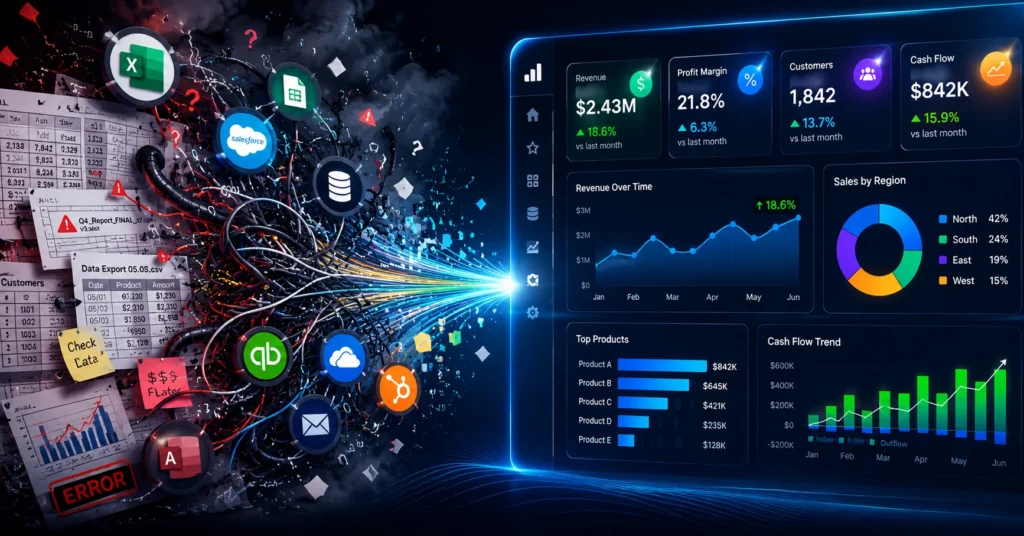
In most small businesses, there’s a spreadsheet at the center of everything.
Someone – often an office manager, an operations lead, or the owner themselves – is responsible for pulling data from various systems, cleaning it up, combining it, and producing a report that leadership can actually read. This happens weekly, monthly, or whenever someone asks a question that can’t be answered with a quick login to one system.
This person is doing genuinely valuable work. But the process they’re running is fragile in ways that create real business risk.
First, it’s slow. By the time data is exported, cleaned, combined, and formatted into something useful, it may already be several days old. You’re making decisions based on where the business was, not where it is.
Second, it’s error-prone. Manual data handling – copying between systems, reformatting exports, applying formulas across merged datasets – introduces mistakes. Not because the people doing it are careless, but because that kind of repetitive manual work is exactly where human error accumulates. A wrong cell reference, a missed row, an outdated filter – and the numbers your leadership team is trusting don’t actually reflect reality.
Third, it’s a single point of failure. When the person who builds the reports is out, traveling, or overwhelmed with other work, the reports don’t happen. Decisions get deferred or made without data.
And fourth, it doesn’t scale. What works when your business has twenty employees and three systems starts to collapse when you have sixty employees and eight systems. The spreadsheet gets bigger, the process gets longer, and the person running it gets more stretched.
What Visibility Actually Looks Like
The businesses that have solved this problem aren’t necessarily the ones with more data or more sophisticated technology. They’re the ones that have connected their data sources and created a single, reliable place where leadership can see what’s happening across the business – updated automatically, without anyone having to build it each week.
That’s what a properly implemented business intelligence platform does. Power BI, built on top of a well-structured data layer, can pull from your SQL Server database, your accounting system, your CRM, your operational platforms, and your spreadsheets – and surface all of it in dashboards that are live, interactive, and actually useful.
Instead of waiting for a report, a sales manager can open a dashboard and immediately see revenue by product, pipeline by rep, and trends over the last ninety days. Instead of a Friday afternoon data pull, a business owner can check cash position and accounts receivable aging on any device, any morning of the week.
The information doesn’t change – it was always in your systems. What changes is when and how you can see it.
The Data Problems That Kill Visibility Before It Starts
Here’s where a lot of businesses run into trouble when they try to solve this on their own.
Power BI is a capable tool, but it can only report on what it receives. If the data coming out of your underlying systems is inconsistent, duplicated, poorly structured, or living in tables that were never designed for reporting, your dashboards will reflect those problems. You’ll get numbers that don’t match between reports. Totals that don’t add up. Filters that return unexpected results.
And when leadership can’t trust the numbers, they stop using the dashboards. The investment gets shelved, and you’re back to the spreadsheet.
This is the part of the conversation that most Power BI vendors skip, because it’s not as exciting as showing someone a colorful dashboard. But it’s the most important part.
Before you can have reliable visibility, you need reliable data. That means your underlying database – typically SQL Server for businesses running Microsoft-stack environments – needs to be structured in a way that supports reporting. Tables need to be consistent. Relationships need to be defined correctly. Data that gets entered differently by different users needs to be standardized. Historical data that’s been accumulating in messy formats needs to be cleaned up.
This is database work, not dashboard work. And it’s the foundation that everything else depends on.
Why Your SQL Server Is the Key to Unlocking Power BI
Most small and mid-sized businesses running SQL Server are sitting on data that’s far more valuable than they realize — they just can’t access it in a useful form.
SQL Server is an excellent platform for business intelligence when it’s properly maintained and configured. The query performance, the integration with Power BI, the ability to build views and stored procedures that feed directly into reports — all of it is there. But if the database hasn’t been optimized for reporting workloads, or if the data model was built purely for transactional use without reporting in mind, Power BI will struggle to deliver the performance and accuracy you need.
Getting this right requires someone who understands both sides – the database architecture and the reporting layer. That’s a combination that’s harder to find than it sounds. Most Power BI consultants work at the visualization layer and assume the data is already clean. Most DBAs focus on the database and don’t have deep experience building reporting environments. The businesses that get the best results are the ones that work with a team that can handle both.
What Changes When You Actually Have Visibility
The operational impact of real-time business visibility is hard to fully appreciate until you’ve experienced it. But some of the most consistent changes we see after implementing Power BI properly include:
Faster problem identification. Issues that used to surface at the end of the month – a product category underperforming, a customer segment churning, an expense line running over budget – get caught in week one or two. That timing difference is often the difference between a manageable course correction and a significant loss.
Better use of leadership time. When the numbers are available on demand and trusted by the team, meetings shift. Less time gets spent on “what are the numbers” and more on “what do we do about them.” That’s a different and more valuable conversation.
Cleaner accountability. When KPIs are visible to the whole leadership team in a shared dashboard, there’s less ambiguity about how different parts of the business are performing. Goals are clearer, performance gaps are more obvious, and the path to improvement is easier to define.
Faster decisions, less risk. When a business owner or executive can check a dashboard and see current performance in ninety seconds, they can make faster decisions with more confidence. That speed compounds over time – more decisions, made better, made sooner.
You Probably Already Have the Data You Need
This is the part most business owners find surprising.
The data required to run a complete, useful business intelligence environment is almost certainly already in your systems. It’s in your SQL Server database. It’s in your accounting platform. It’s in your CRM and your operational tools.
You don’t need to start collecting new data. You don’t need to overhaul your systems. You don’t need to hire a data science team.
You need someone to connect the sources, clean up the underlying data, build a reliable data model, and design dashboards that surface the right information to the right people.
That’s an implementation problem, not a data problem. And it’s much more solvable than most business owners assume.
Where to Start
The most effective implementations don’t try to do everything at once. They start with the highest-value question – the one area where better visibility would have the most immediate impact on how leadership makes decisions – and build from there.
For some businesses, that’s sales performance. For others, it’s cash flow. For others, it’s operational efficiency or project profitability. The starting point doesn’t matter as much as having a clear, specific goal and data that’s clean enough to support it.
From there, you build. A dashboard that works and gets used every day is worth more than a complex reporting environment that nobody trusts.
The Bottom Line
Your business isn’t lacking data. It’s lacking a way to see it.
The gap between the information your systems generate and the insight your leadership team can act on is costing you time, money, and competitive ground – even if it’s hard to put a precise dollar figure on it. Every slow decision, every surprise at the end of the month, every hour spent building a report manually represents that gap.
Business intelligence tools like Power BI – implemented on a solid data foundation – close that gap. They don’t require enterprise budgets or enterprise-scale IT teams. They require clean data, the right structure, and someone who knows how to connect the pieces.
If your business is ready to stop guessing and start seeing, the data is already there. It just needs to be put to work. Read more
Ready to turn your existing data into real visibility?
f you’re ready to move beyond manual reporting, learn more about our Power BI implementation and business intelligence services and what a proper implementation looks like from data foundation to finished dashboard.
Before any dashboard goes live, we make sure your SQL Server is optimized for reporting – because clean, fast, well-structured data is what separates dashboards that get used from dashboards that get abandoned.
Falcon Source helps small and mid-sized businesses transform the data already in their systems into dashboards and reports that leadership can actually trust and use. From SQL Server optimization and data preparation to Power BI implementation and ongoing support, we handle the full stack – so you get answers, not just charts.
Call (972) 515-2266, email support@falconsource.com, or visit falconsource.com to get started.