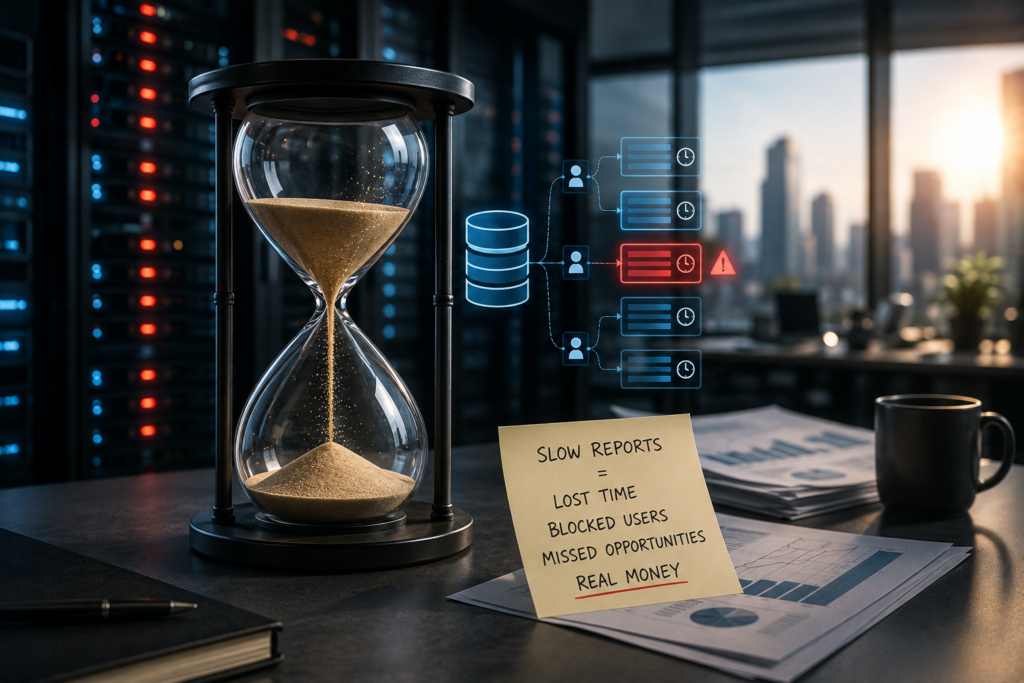
The $500,000 SQL Query: How One Bad Report Costs More Than a Hardware Failure
Written by : Falcon Source Data Team
The Falcon Source Data Team shares expert insights on SQL Server, data management, analytics, and AI readiness, helping businesses build fast, reliable, and scalable systems
When organizations think about SQL Server disasters, they picture hardware crashes and ransomware attacks. The most expensive database problem is usually quieter – and it runs on a schedule.
The true cost of a slow report is measured in lost time, frustrated users, and missed business opportunities.
Hardware failures grab headlines. Ransomware attacks make it into the incident report. But the most expensive database problem at most mid-sized organizations isn’t a dramatic crash – it’s a report. Specifically, it’s a poorly designed legacy query that runs at the worst possible time, hogs resources, blocks critical transactions, and quietly drains company-wide productivity for years before anyone connects the dots. By the time leadership realizes something is wrong, the damage has usually been compounding for months – sometimes years.
This isn’t a hypothetical. It’s one of the most common patterns we encounter working with businesses across Dallas-Fort Worth. And the number that gives this post its title – $500,000 – isn’t a worst-case scare figure. It’s what the math actually produces when a moderate slowdown recurs every single month and nobody does anything about it.
“The hardware was healthy, the network was fine, and the storage array was running perfectly. The culprit was a single line of bad code.”
The report that broke month-end close
Consider a scenario that plays out every month at companies across Dallas–Fort Worth and beyond. It’s the final business day of the month. Accounting is closing the books, operations is rushing orders out the door, and customer service reps are furiously updating accounts. Every minute matters. Delays today mean delayed invoicing, delayed revenue recognition, and frantic catch-up work that spills into the weekend.
At 8:00 AM, an automated reporting process kicks off.
This report was written years ago when the database was a fraction of its current size. Nobody wrote it badly on purpose—at the time, it ran in seconds and nobody thought twice about it. But the business grew. Transaction volumes tripled. The tables that once held a few hundred thousand rows now hold tens of millions. The query was never revisited. No one put it on the maintenance calendar. It just kept running, every month, getting a little slower each quarter.
Now it scans millions of rows without touching a single index, executes massive unfiltered table joins, and holds long-running read locks that block everything touching those same tables. Within minutes of the report firing: transactions grind to a halt, critical applications freeze, order processing delays spike, and customer service calls back up because reps are waiting on frozen screens. The ERP times out. The fulfillment system queues up. Accounting can’t post entries.
Nobody calls it a database problem. They call it “the system being slow.” They open tickets with IT. IT restarts services. The report finishes eventually, everything unfreezes, and everyone gets back to work—two to four hours behind. It happens again next month. And the month after that.
The invisible killers: blocking and deadlocks
To understand why a single query can hold an entire organization hostage, you need to look at how SQL Server manages data access during concurrent workloads. Two mechanisms are almost always at the root of these slowdowns: blocking and deadlocks. Most people in non-technical roles have never heard either term, which is exactly why these problems persist so long without being addressed.
Blocking
Blocking occurs when one process locks a piece of data, forcing another process to wait in line for it. SQL Server uses locking to protect data integrity – when a query is reading or writing rows, it places locks so no conflicting operation can interrupt it. That’s by design. The problem arises when a single query holds locks on a large amount of data for a long time. If a massive report is performing a full table scan on an orders table during peak business hours, an order-entry user trying to update a single record in that same table gets stuck waiting for the lock to release. That user’s application appears frozen. Behind them, a dozen more transactions queue up waiting for the same resource. The blocking chain grows. Applications appear frozen across the organization – often without any visible error message to tell anyone what’s actually happening.
Deadlocks
Deadlocks are worse—and more disruptive in a different way. A deadlock occurs when Process A holds a lock on data that Process B needs, while Process B simultaneously holds a lock on data that Process A needs. Neither can proceed. They are stuck in a permanent standstill, each waiting for the other to release a resource it will never release. SQL Server detects this circular dependency and resolves it by choosing one of the two transactions as the “deadlock victim” and terminating it. To your end user, this looks like a random application error – a pop-up saying the transaction failed, or worse, no error at all and data that simply didn’t save. Work gets lost. Re-entry takes time. Users lose trust in the system. Over time, they build manual workarounds – spreadsheets, paper logs, duplicate processes—that introduce their own errors and inefficiencies.
Calculate your productivity drain
Affected employeesAvg. burdened cost ($/hr)Duration (hours)Productivity drop (%)
Cost per incident
$10,000
Monthly incidents × 12
$120,000/yr
Over a few years, that single report costs the company hundreds of thousands of dollars—and that figure doesn’t include delayed customer orders, missed deadlines, employee overtime, or lost revenue opportunities. The $500,000 headline isn’t an exaggeration; it’s what happens when a $10,000-per-month problem goes unaddressed for four years. And four years is not unusual. We have seen these problems persist for a decade before anyone called a DBA.
Why no one fixes it
The most frustrating part of this pattern isn’t that it happens—it’s that it keeps happening long after people are aware of it. There are a few predictable reasons.
First, the symptoms don’t scream “database.” A user whose screen freezes for ten minutes doesn’t think “there’s a blocking chain on the orders table.” They think the network is acting up, or their computer is slow, or the app needs an update. IT gets a ticket, restarts a service, and the issue clears—because the report finished. The ticket gets closed as resolved. The root cause is never documented.
Second, the people who could fix it often don’t own the problem. The developer who wrote the report left three years ago. The current DBA inherited the environment and has a long backlog of other work. The business analyst who runs the report doesn’t have access to execution plans or lock monitoring. Everyone sees a symptom; no one sees the query.
Third, organizations tend to reach for infrastructure as the solution because it feels decisive. Approving a server upgrade is a concrete action. Telling leadership “we need to tune a query” sounds less urgent. So the hardware budget gets approved, more RAM gets installed, and performance improves slightly—for a few months—until data growth catches up again and the same slowdown returns at a new, larger scale.
Case Study
Throwing hardware at a software problem
A mid-sized organization approached us because their applications slowed to a crawl every single month. Assuming it was an infrastructure limitation, the IT team was preparing to approve a significant hardware upgrade—more memory, faster storage. The proposal was already circulating for sign-off.
When we reviewed their SQL Server activity, we found a different story. The hardware was completely adequate. CPU and memory headroom were both well within normal thresholds outside of specific time windows. The real bottleneck was a legacy reporting process running during business hours that triggered massive table scans, long-running unoptimized transactions, severe blocking chains that cascaded across multiple applications, and excessive tempdb utilization that was starving other queries of workspace memory.
The reporting process itself wasn’t even delivering mission-critical data in real time—it was generating a summary report that was consumed hours later. There was no operational reason it needed to run at 8 AM.
Instead of buying new servers, we tuned the queries, added targeted indexes to support the specific access patterns the report needed, and rescheduled the reporting workloads to a 2 AM maintenance window where they competed with nothing. Performance skyrocketed on the very next month-end close-and the proposed hardware budget was saved entirely.
Red flags: is your data draining your budget?
Unlike a total system outage, reporting bottlenecks are subtle. Users adapt to slowness over time—arriving early, staying late, accepting delays as “normal.” The dangerous thing about normalization is that it makes the problem invisible to the people who could do something about it. By the time someone escalates, the loss has already been accumulating for a long time. Watch for these warning signs:
Warning sign
What it actually means
Alert Frequent business-hour blocking
Reports or batch jobs are actively competing with transactional workloads for data access during your highest-traffic periods. Multiple applications slowing simultaneously is the tell.
Alert Month-end performance dips
Close-of-month reporting is choking your operational systems at exactly the moment you need them most. If “month-end is always slow” is accepted wisdom at your company, that’s not a calendar problem.
Watch Creeping report run times
A report that used to take seconds now takes minutes-or hours. This indicates a serious scaling problem as data volume has grown faster than the query’s design can handle.
Watch Spiking TempDB or CPU utilization
Poorly optimized queries force SQL Server to perform massive sort and hash operations in TempDB rather than leveraging indexes. This burns infrastructure resources and crowds out every other query running at the same time.
Watch Users reporting random transaction errors
Intermittent “transaction failed” or “deadlock victim” errors are not application bugs—they are SQL Server terminating transactions to break deadlock cycles caused by competing queries holding conflicting locks.
What a proper performance review actually looks at
A database performance review isn’t simply running a speed test. When Falcon Source audits a SQL Server environment for performance bottlenecks, we’re looking at several interconnected layers that most organizations never examine together.
We start with the query workload itself-capturing the most expensive queries by CPU, duration, logical reads, and execution count using SQL Server’s Query Store and execution plan cache. A query that runs 50,000 times per day at 2 milliseconds each is often a more urgent target than one that runs once at 10 seconds. We look at the full execution plan for each high-impact query: is SQL Server doing index seeks or table scans? Is it spilling to TempDB because an index is missing? Are statistics out of date, causing the optimizer to choose a bad plan?
From there, we look at the lock and wait statistics-the real story of what SQL Server is waiting on and why. Wait stats show you, in plain numbers, whether your biggest performance bottleneck is I/O, memory pressure, CPU saturation, blocking, or something else entirely. Most organizations have never looked at their wait stats. In almost every case, the top waits tell a story that immediately explains the symptoms users have been complaining about.
Finally, we look at the workload schedule—when the heaviest queries are running relative to when transactional load is highest. This alone frequently surfaces the fix. Moving a heavy reporting job from 8 AM to 2 AM costs nothing and often eliminates the problem without touching a single line of SQL.
Prevention costs less than recovery
Organizations routinely budget for cloud migrations, hardware refreshes, and software licenses-yet few invest in ongoing database performance reviews. The irony is that proactive performance tuning is almost always a fraction of the cost of the infrastructure purchases it prevents, let alone the productivity losses it stops. Most reporting bottlenecks don’t require more hardware. They can be resolved through:
Query optimization and index tuning targeted at the specific workloads causing contention-adding the right index in the right place can turn a 45-second full-table scan into a 200-millisecond index seek
Strategic report redesigns that eliminate unnecessary full-table scans in favor of targeted, indexed reads and properly filtered result sets
Smart workload scheduling that moves heavy reporting to off-peak windows where it competes with nothing, preserving peak-hour resources entirely for transactional workloads
Proactive database monitoring with alerting on blocking duration, wait stats thresholds, and query regression so you catch degradation before it becomes a crisis
Regular query plan reviews as data volumes grow, because a plan that was efficient at 1 million rows may be catastrophically inefficient at 50 million
The return on investment for database tuning is almost always immediate and measurable. One well-tuned query can reclaim hours of productivity every single month – hours that were previously invisible losses accepted as the cost of doing business. Before you approve another hardware purchase, add more RAM, or blame your infrastructure, ask yourself: is a single poorly written SQL query costing your business more than a total server failure ever would?